
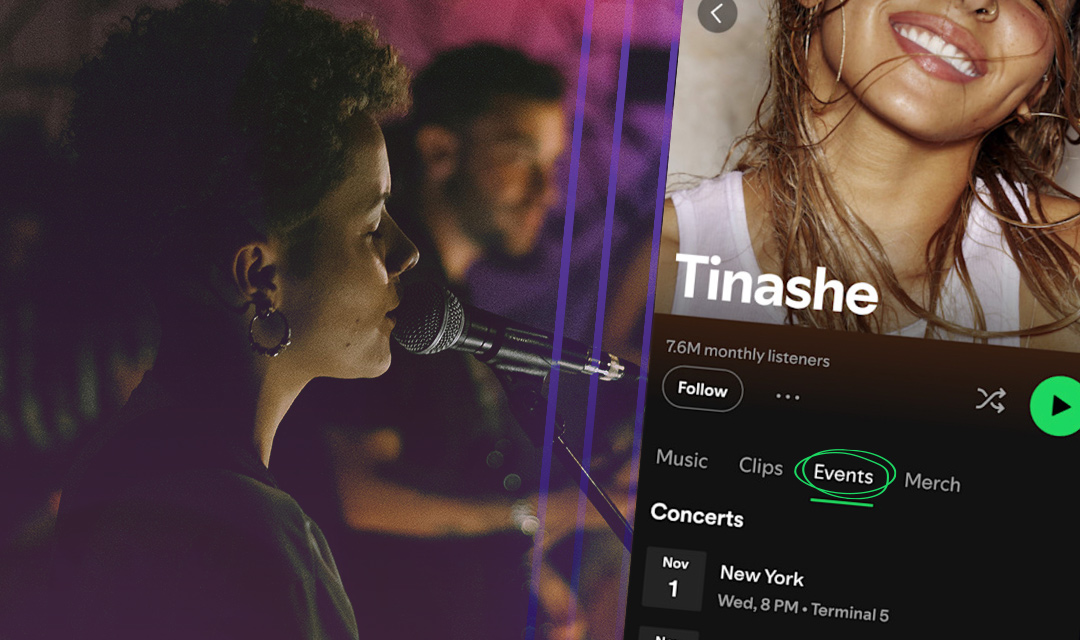
When someone discovers your track through a Spotify playlist, radio, or a recommendation from a friend, the first thing they’ll do if they’re interested is click into your Spotify profile.
In this article, you’ll learn how to customize your images, bio, links, and more to ensure every aspect of your profile reflects your music and drives deeper fan engagement.
This article was updated October 14, 2026
KEY TAKEAWAYS
- Use Spotify for Artists to update your artist profile
- Start with photos, an artist bio, and an Artist Pick that supports your promotion goals
- Add playlists, social links, concerts, and merch to give fans more ways to engage
- Routinely update your profile — especially before each release
Claim your Spotify for Artists profile
Your artist profile is the page listeners visit on Spotify to stream your music and learn more about you. Claiming your profile gives you access to Spotify for Artists, where you can customize your artist page, gain insights on your streaming activity, run promotional campaigns, and more.
Spotify creates your artist profile after CD Baby delivers your music. CD Baby makes it easy to claim your Spotify profile directly from your dashboard.
Add photos to your profile
Make your profile instantly recognizable for fans and memorable for new listeners with photos. Choose photos that are high quality and representative of your brand as an artist.
Spotify gives you three main places to add artist images:
- Avatar appears at the top of your mobile artist profile and within search results. Choose a headshot-esque photo that accommodates a tight crop and features a clear subject.
- Header appears at the top of your desktop artist profile and webplayer, above your Avatar. Choose a wide image with room around the subject.
- Image gallery: These photos appear in your About section. Choose a mix of live, studio, and behind-the-scenes photos that drive listener curiosity and engagement.
Your Spotify photos should be visually consistent with your website and social media accounts. You don’t have to use the same avatar/profile image across platforms, but ensure they all feel cohesive.
Write a Spotify bio
You can expect a new listener to play your music before reading your bio, so your artist bio should give them a reason to care. In addition to providing basic details like your genre and hometown, you can tell the story behind your latest release, share recent milestones, and tease what’s next.
You can use tags to reference other artists you sound like, albums and playlists that have inspired you, and even provide a recommendation from your catalog for where listeners should start.
You don’t need a long list of accomplishments to write a compelling artist bio — you just need to spark your listener’s interest.
Add visualizers to your releases with Spotify Canvas
Canvas is a three- to eight-second vertical looping video that appears in the Now Playing view on Spotify’s mobile app.
These visuals are attached to each track, rather than your profile header, but can help carry your artist branding and visual identity into the listening experience.
Your Canvas should be:
- Visually consistent with your Spotify profile and the cover art for the release
- Loop-friendly with intentional start/end frames or a continuous looping design
- Engaging for a fan streaming your release
Select an Artist Pick
Artist Pick sits at the top of your profile and lets you feature music, playlists, concerts, merch, and other supported content — along with a message.
Artist Picks stay live for 180 days unless you change it sooner. Picks with concerts or merch can disappear earlier — when a show passes or an item sells out. Set a reminder to review yours while it’s still relevant.
Here are some ways you can use Artist Pick:
- Feature your latest release
- Promote an upcoming show
- Celebrate an older release on its anniversary
- Share your influences with a playlist of your favorite tracks
Make an Artist Playlist
Spotify lets you feature playlists on your artist profile. Create one through your personal Spotify account, then add it in Spotify for Artists under Artist Playlists by searching for it or pasting in the Spotify link.
You can create playlists that promote your music:
- Start here: A short introduction to your music
- Behind the record: Combine your latest tracks with the songs that influenced them
- Your local scene: Compile releases from artists in your community
Give your playlist a title and description, promote it across social media, and update it regularly. You can monitor its popularity based on saves.
Give fans ways to connect beyond the streams
Your profile can also help listeners find your social accounts, concerts, and merch. Spotify supports these additions through its profile tools and integrations.
Social media
Add the social media accounts you actively maintain — they’re often the next thing new listeners will click on after streaming your music.
Concerts
Spotify imports listings from supported ticketing partners including Bandsintown, Eventbrite, and Ticketmaster. Check Spotify’s current partner list and confirm that your artist name, venue, date, and ticket link are correct.
Merch
If you sell merch through Shopify, connect your store and publish relevant products to the Spotify sales channel. Simply adding a product to Shopify doesn’t automatically publish it to Spotify.
Review your profile with this simple checklist
Make a profile check part of your release routine. Before sharing your Spotify link or starting a promotion campaign, open your public profile in the listener app and review:
- Do your photos align with your latest look and release?
- Does your bio include your latest release and most recent accomplishments?
- Does Artist Pick point to the right release?
- Are your featured playlists current?
- Do your social, ticket, and merch links work and are they up to date?
Once your profile is ready, explore our guide to Spotify’s campaign kit to learn more about tools for reaching listeners.
Get your music on Spotify with CD Baby
As a Preferred Partner to Spotify, CD Baby ensures your music meets the platform’s requirements, makes it easy to claim your profile, and ensures you succeed with strategies, marketing tools, and actionable news.
CD Baby offers pay-per-release rates of $9.99 per single and $14.99 per album — with no annual fees. Start building your audience on Spotify today. Get started by creating a free CD Baby account.