

Once your music is live on Apple Music, your artist dashboard provides essential performance insights. Using these tools, you can set objective goals, measure your progress, learn more about your fanbase, and make informed marketing decisions.
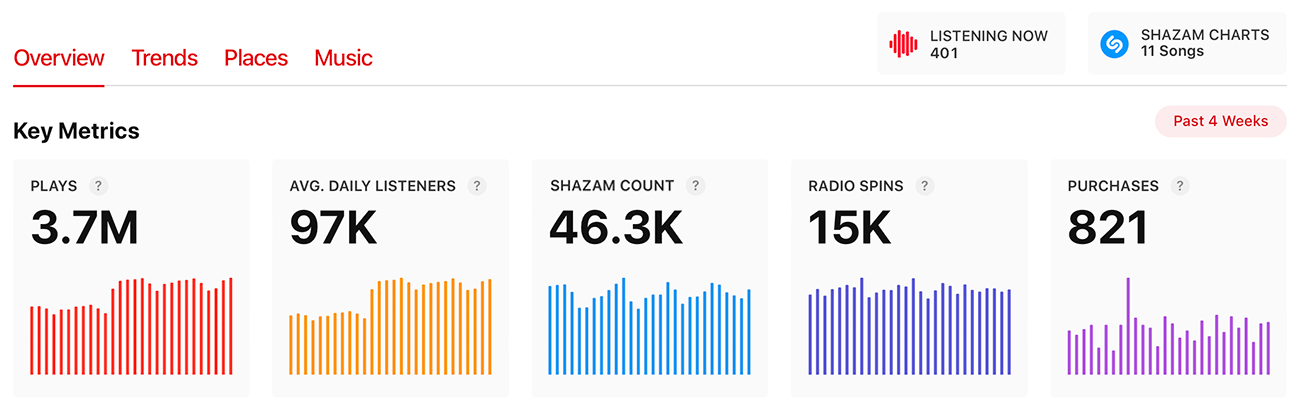
The Apple Music for Artists platform measures analytics for the following types of content:
- Songs (including the total plays of a song and every album and compilation it was released on)
- Albums (any album, EP, or individually released single)
- Playlists (including Apple Music editorial playlists)
- Videos (including music videos uploaded to Apple Music)
Apple Music allows artists to measure their music’s performance in the following ways:
- Plays: Streams of your song when a user initiates playback in Apple Music for more than 30 seconds.
- Average Daily Listeners: The average number of daily unique listeners within a selected timeframe.
- Shazam Count: The number of times your song has been recognized by the Shazam app.
- Radio Spins: Recorded when your song is played on one of the more than 40,000 tracked terrestrial and digital radio stations around the world. This does not include plays on Apple Music Radio.
- Purchases: The total purchases of your song when a customer buys it from the iTunes Store.
- Listening Now: Real-time data shows how many fans are currently streaming your music with a 48 hour look back, updated every 5 seconds.
- Milestones: A list of insights and all-time bests for your songs and albums, highlighting Top Plays, Shazam Count, when you’re added to an Apple Music editorial playlist and more.
- Video Views: Total times an Apple Music user watches your music video for more than 30 seconds.
How to search listener trends on Apple Music for Artists
Apple Music provides actionable insights about your audience in the form of listener trends. In the steps below, you’ll learn how to access these analytics.
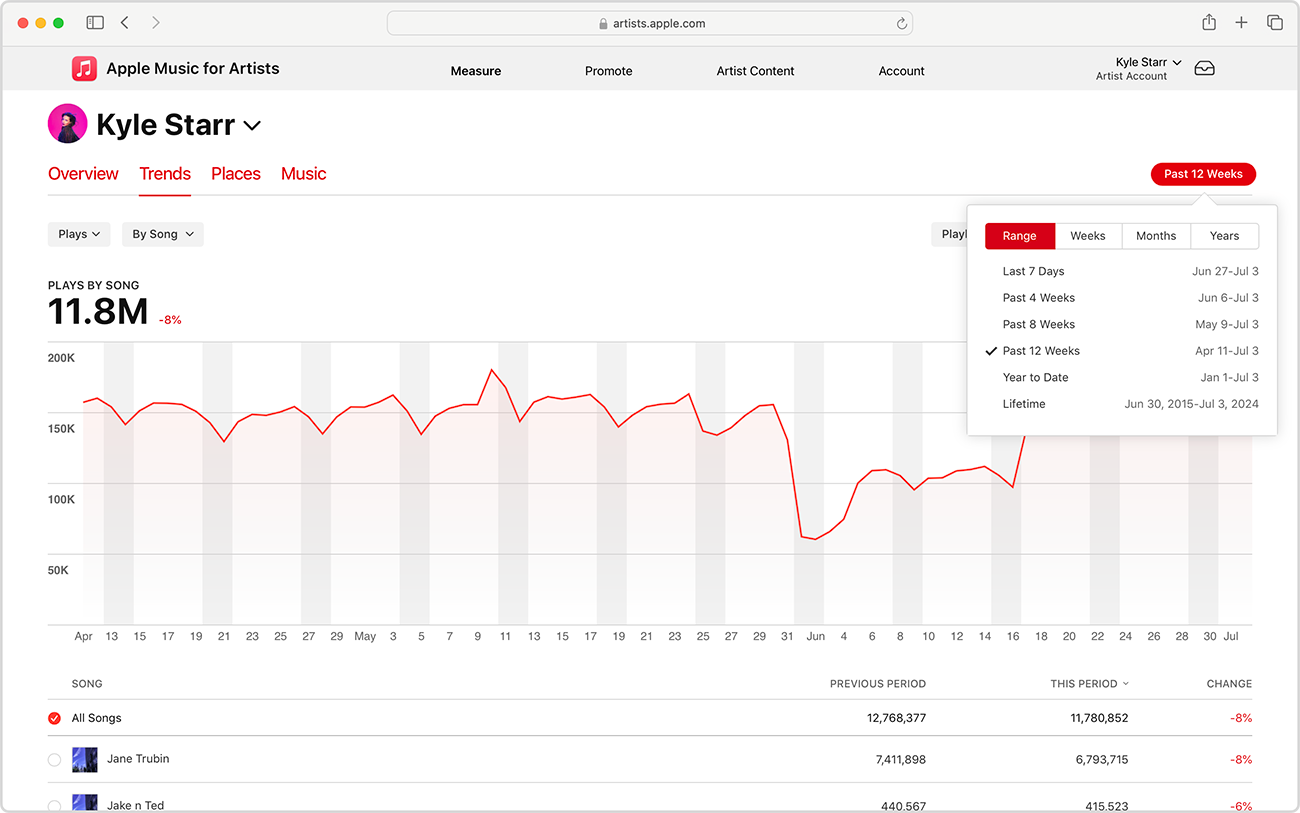
1. Set a date range
Select a date range from the menu in the top right corner.
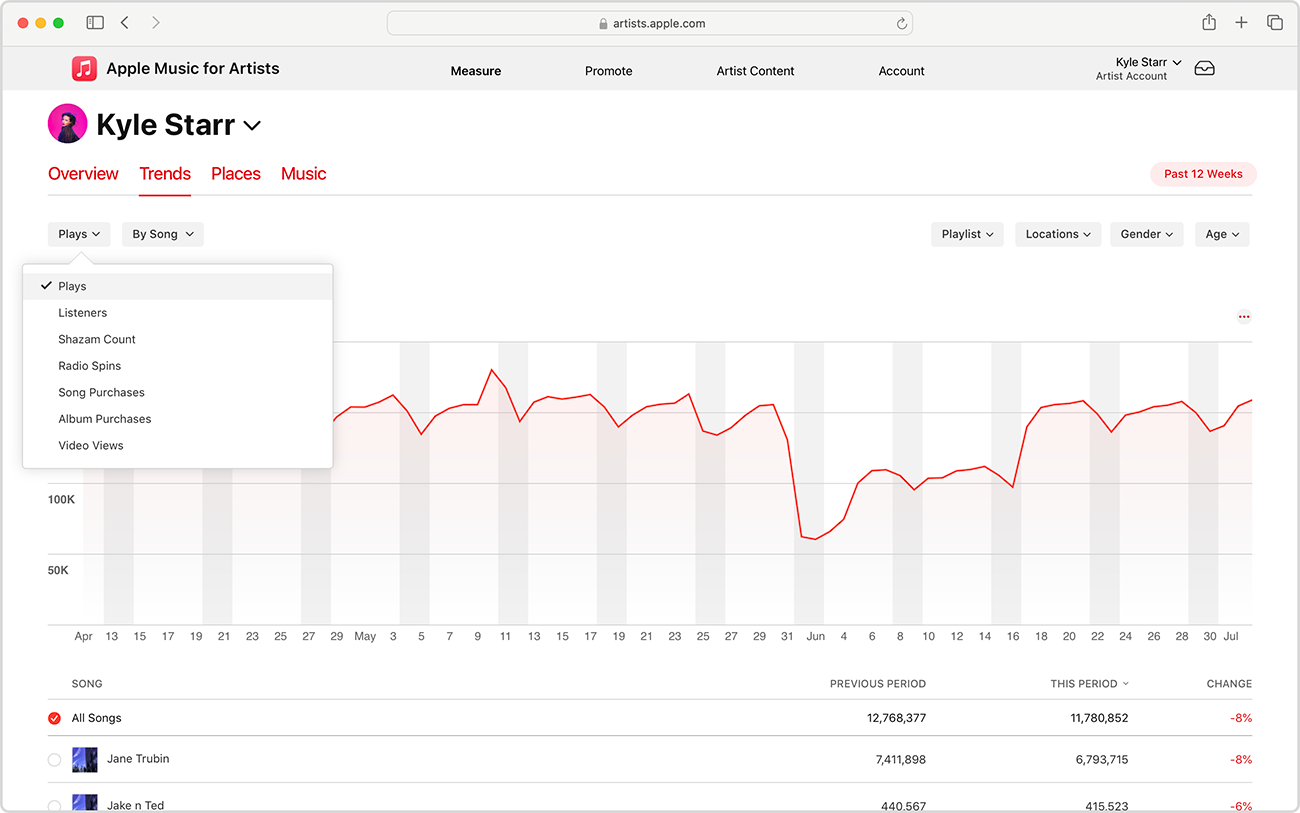
2. Choose an activity to track
Choose from Plays, Listeners, Radio Spins, Shazam Count, Song Purchases, Album Purchases, or Video Views. Filtering by listeners, you can view your daily unique listeners by hovering over the graph’s trend line.
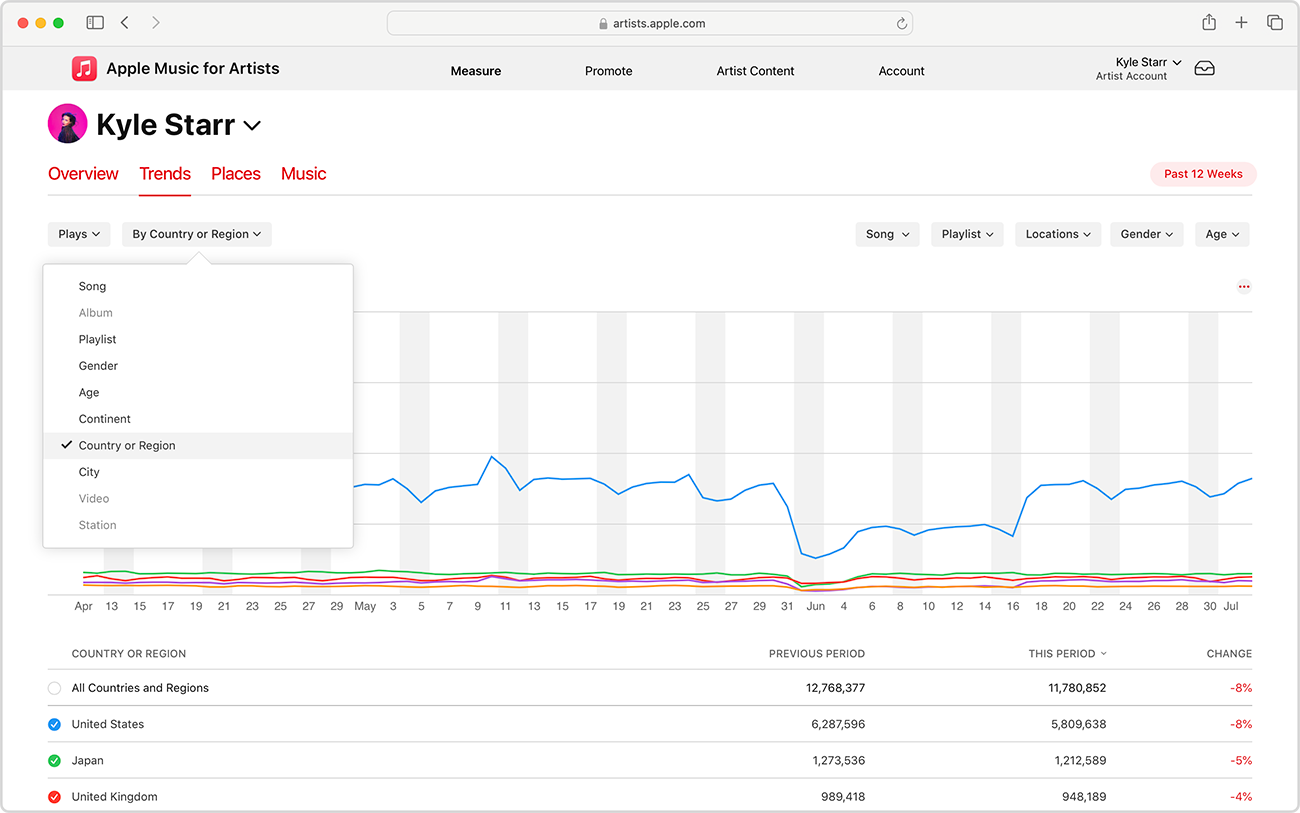
3. Filter data by gender, age, location, and more
Use the other left-hand menu to see Song, Album, Playlist, Gender, Age, Continent, Country or Region, City, Video, or Station – when applicable.
4. Uncover new insights
Use the remaining menus to focus your view on specific songs, Shazam Count, locations, and demographics. More detailed counts and percentages are displayed below the chart.
Track your radio spins
Radio Spins is integrated throughout the Apple Music for Artists experience. Monitor more than 40,000 radio stations from over 200 countries and regions with Radio Spins to see which stations are giving your music air time. Visit the Trends page to explore detailed data, such as the stations that are spinning your music the most or what songs from your catalog get the most plays across all our monitored stations. See the Places page to find out where your music is spinning across global airwaves.
Get to know your listeners all over the world
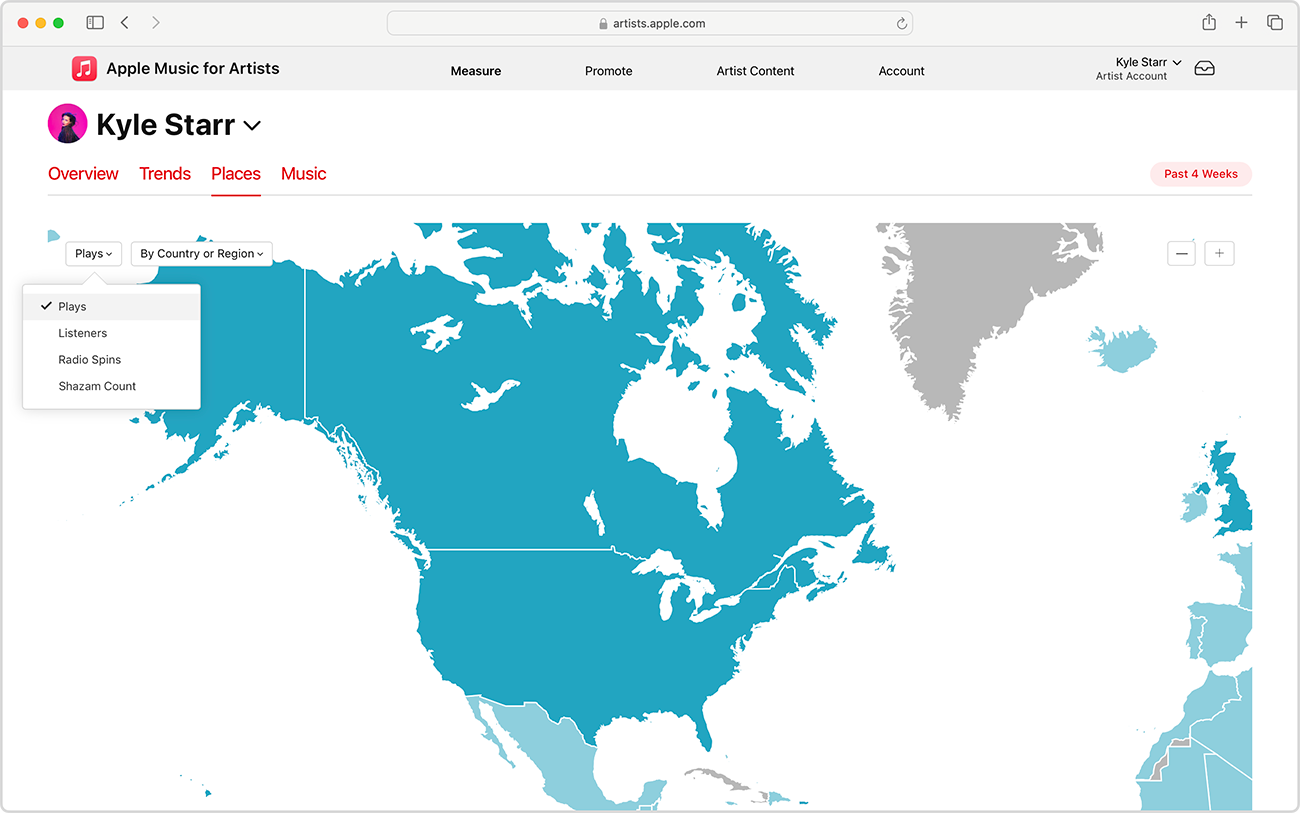
The Places tab shows you where your listeners are by city, country or region. Artists can apply filters to help them track the popularity of new releases and even get an idea of where they could perform next.
Shazam to your advantage
When someone wants to figure out the name of a song they’re listening to, they can use Shazam Count to identify it. Know what happens when someone uses Shazam to identify your song and learn about the information it provides such as Shazam Count totals.
Download data
In the Music section, click See All to download data from your full catalog. Be sure to set the date range before downloading your CSV.
Get Started
Apple Music for Artists equips musicians with a powerful suite of analytics designed to illuminate how listeners around the world engage with their music. By understanding the metrics behind your streaming activity, you can make data-driven decisions that support your long-term growth. Whether you’re analyzing real-time trends, exploring where your audience is located, or monitoring which songs are gaining traction across radio and playlists, these tools help you identify what’s working and where new opportunities may lie.
As you continue building your catalog, regularly revisiting your Apple Music analytics will ensure you stay connected to your audience’s behavior, strengthen your marketing strategies, and uncover actionable insights that elevate your career. The first step is claiming your AMfA profile with CD Baby. Log in today and start digging into your audience on Apple Music.