

Getting Started with Apple Music for Artists
Apple Music is a leading global music streaming service with over 100 million songs and tens of millions of subscribers across 167 countries.
If your music is already live on Apple Music, claiming your Apple Music for Artists (AMfA) profile is one of the most important steps you can take to grow your audience and strengthen your artist brand. Claiming your profile on Apple Music for Artists puts you in control of your presence across Apple Music and Shazam. It unlocks verified access to your data, giving you a complete view of how fans are discovering and engaging with your music. With these insights, you can spot momentum early, measure the impact of your campaigns, and make smarter decisions that drive growth.
With a verified profile, you gain access to powerful tools within your Apple Music for Artists dashboard, which let you track real-time data on your streams, listener demographics, and playlist placements. You can also personalize your artist page with an artist image, the option to add a Q&A, update and upload missing lyrics and more – all of which help you stand out to fans and Apple Music’s editorial team. In short, claiming your Apple Music for Artists profile gives you control over how the world sees and hears your music.
As a preferred Apple Music distributor, CD Baby offers artists faster verification and smoother setup. This guide will walk you through how to claim your Apple Music for Artists profile and personalize it to stand out.
Claim Your Apple Music for Artists Profile
Follow these steps to verify your Apple Music for Artists profile through CD Baby:
- Log into your CD Baby account and go to your Apple Music for Artists page.
- Select your artist name to begin the verification process.
- Click “Get Started.”
- Sign in or create an Apple Music for Artists account using your Apple ID.
- Complete the signup process and accept the terms and conditions.
- Choose the album you want to continue with and fill in your artist information accurately.
- Select CD Baby as your distributor and include at least one social profile for validation.
- When prompted to authenticate, use your CD Baby credentials (your CD Baby username and password) — this helps Apple quickly confirm you’re the rightful owner of your music.
Once submitted, your request will show “Pending Access” under your artist icon in Apple Music for Artists while it’s being processed.
Optimize Your Profile
Once verified, it’s time to make your profile reflect your unique artist brand. Through the Artist Content section of your Apple Music for Artists (AMfA) dashboard, you can:
Personalize your profile: Upload a high-quality artist image and update personal artist details such as your hometown.

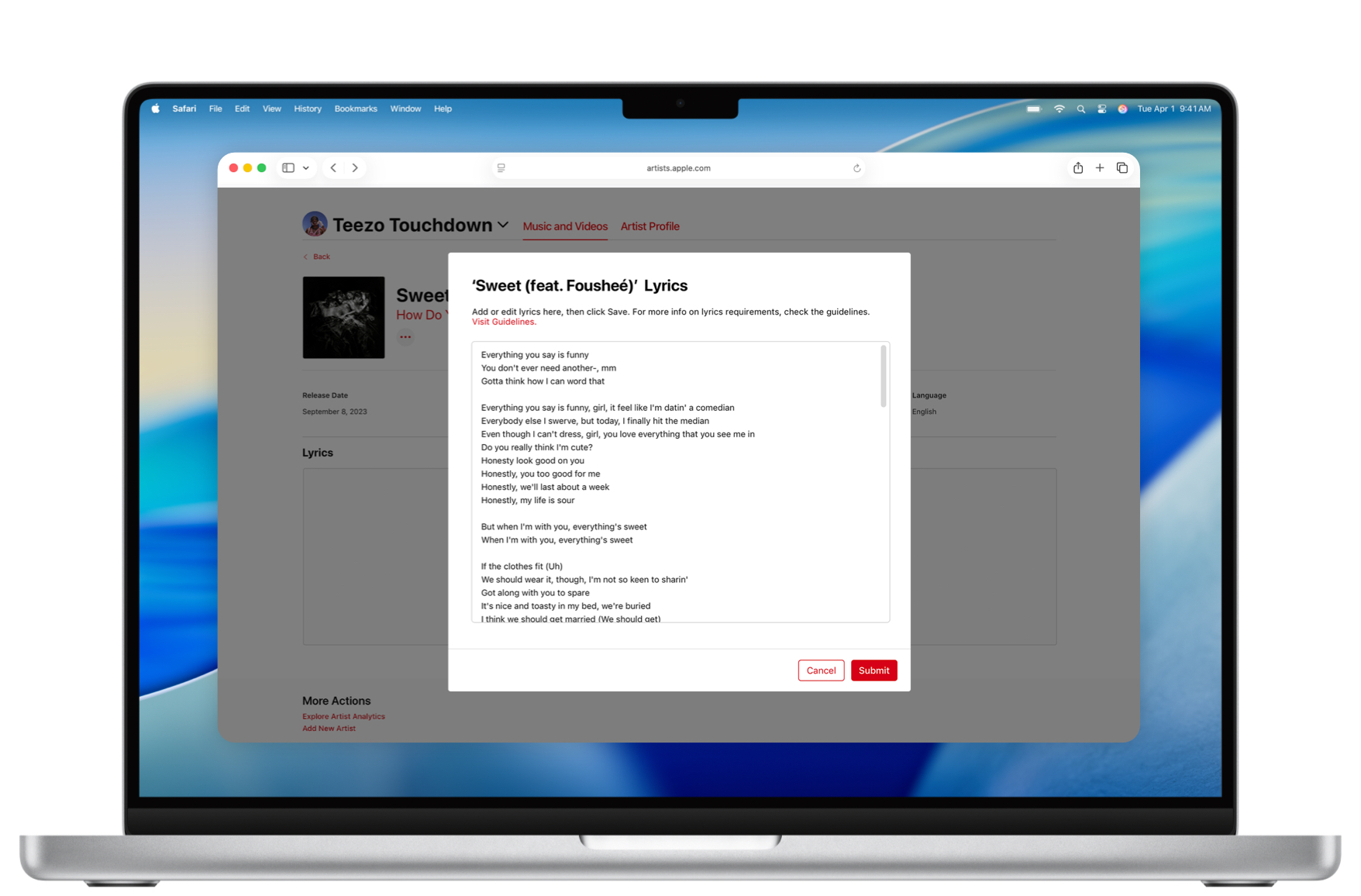
Add lyrics: Make your songs more discoverable through search and Siri by submitting any missing lyrics directly in the Content dashboard.
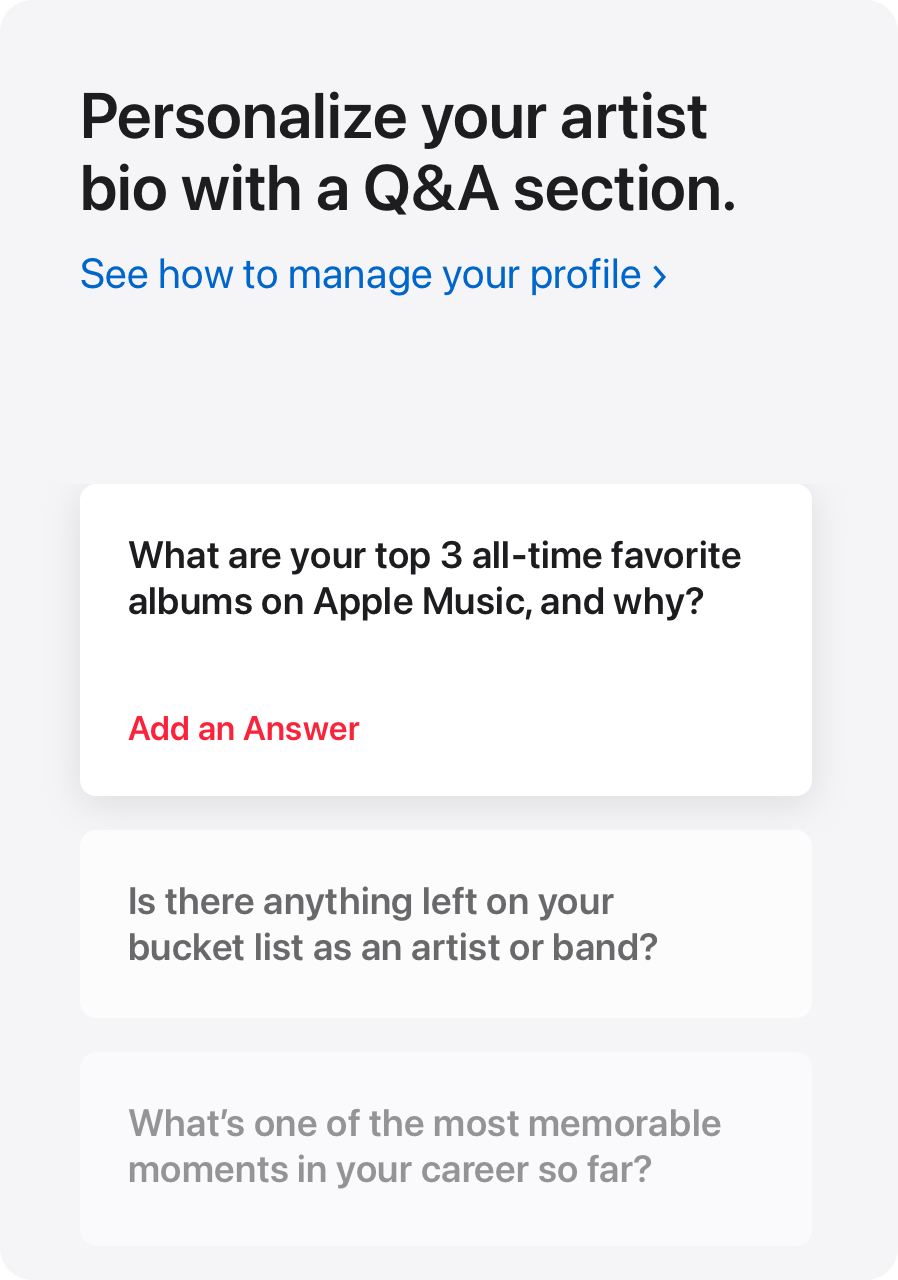
Add Q&As: Connect with fans by answering questions about your music, inspiration, or creative journey — a great way to share your voice and personality.
Identify band members, collaborators, influences, and pronouns: Provide key info about yourself, your bandmates, collaborators, influences, and pronouns so Apple Music’s editorial team can better understand and represent your work (note: this info isn’t public).
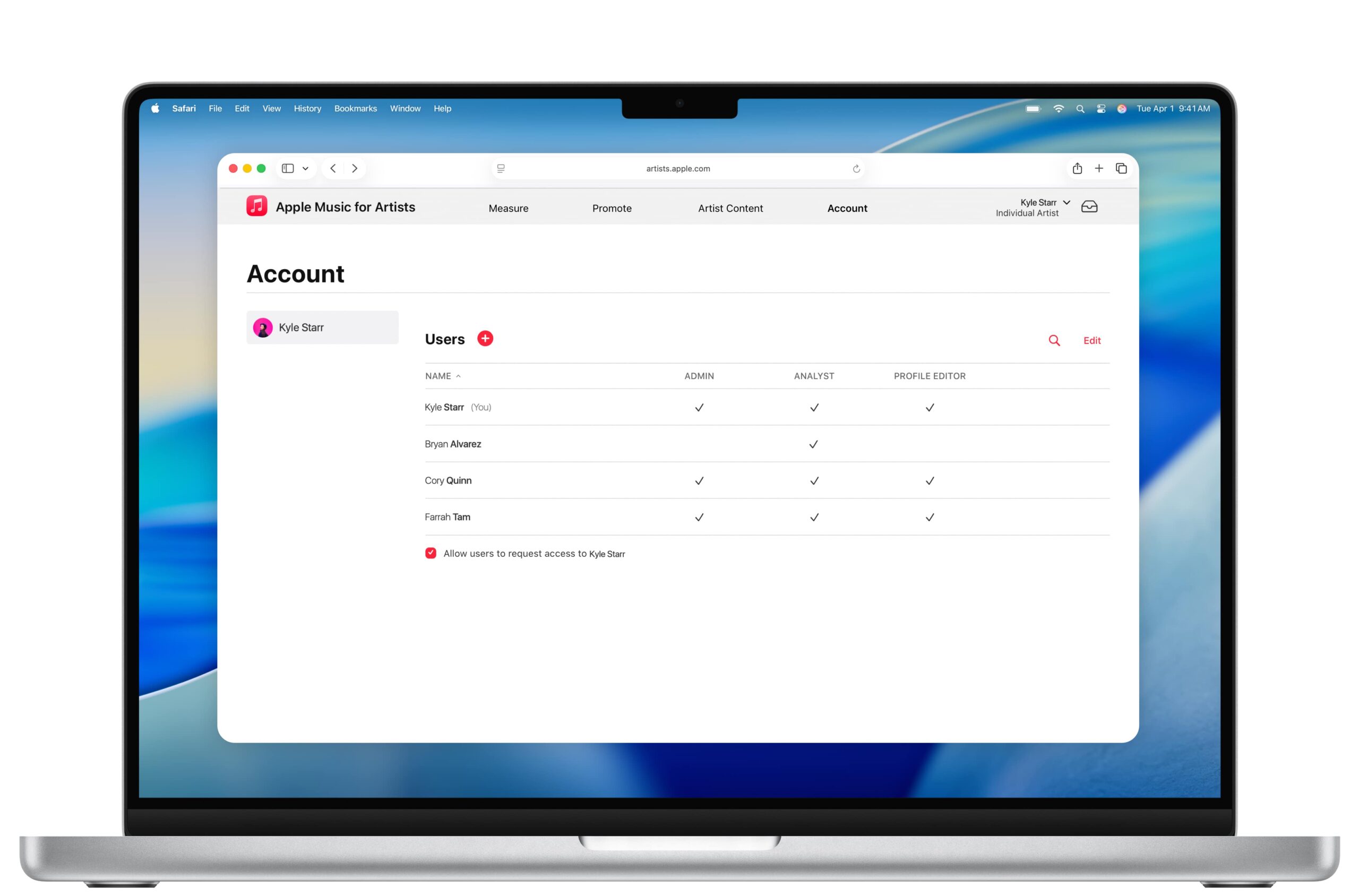
Manage your team and preferences: As an admin, invite team members such as managers, publicists, or label reps to your profile. You can assign roles and set communication preferences to keep your artist presence consistent and up to date.
Get on Apple Music with CD Baby
Your Apple Music profile is like your digital storefront. It’s where new fans can discover your music and get a sense of who you are. Therefore, keep your content fresh, your visuals on-brand and make sure all of your content is accurate. A polished profile not only strengthens your artist image but can also open doors to playlist features and editorial opportunities.
Get your music on Apple Music by distributing through CD Baby, then follow this guide to claim and customize your profile.