
Once you’ve submitted music for distribution to Apple Music and claimed your Apple Music for Artists profile, head over to the Promote section where there are tools to help you promote your music and share moments to celebrate on your socials.
Preparing for Promotion
As you’re waiting for your release to go live, optimize your Apple Music for Artists (AMfA) profile, then prepare for promotion with the following:
Build hype with pre-adds: CD Baby Members can launch an Apple Music pre-add campaign through Show.co to allow fans to save your upcoming release to their libraries ahead of your release. This can help drive release day streams. Learn more about Show.co here.
Set your cover art in motion: CD Baby artists get exclusive access to Apple Music Album Motion Art to animate cover art and make releases more engaging. Animated artwork sees 30% more engagement when shared over social media. Learn more about CDB Video Creator here.
Update your Apple Music for Artists profile: Submit any missing or incorrect lyrics to make your song more discoverable when fans search for it. Consider other ways to optimize your artist profile ahead of your release, such as updating your profile image or filling out another Q&A portion.
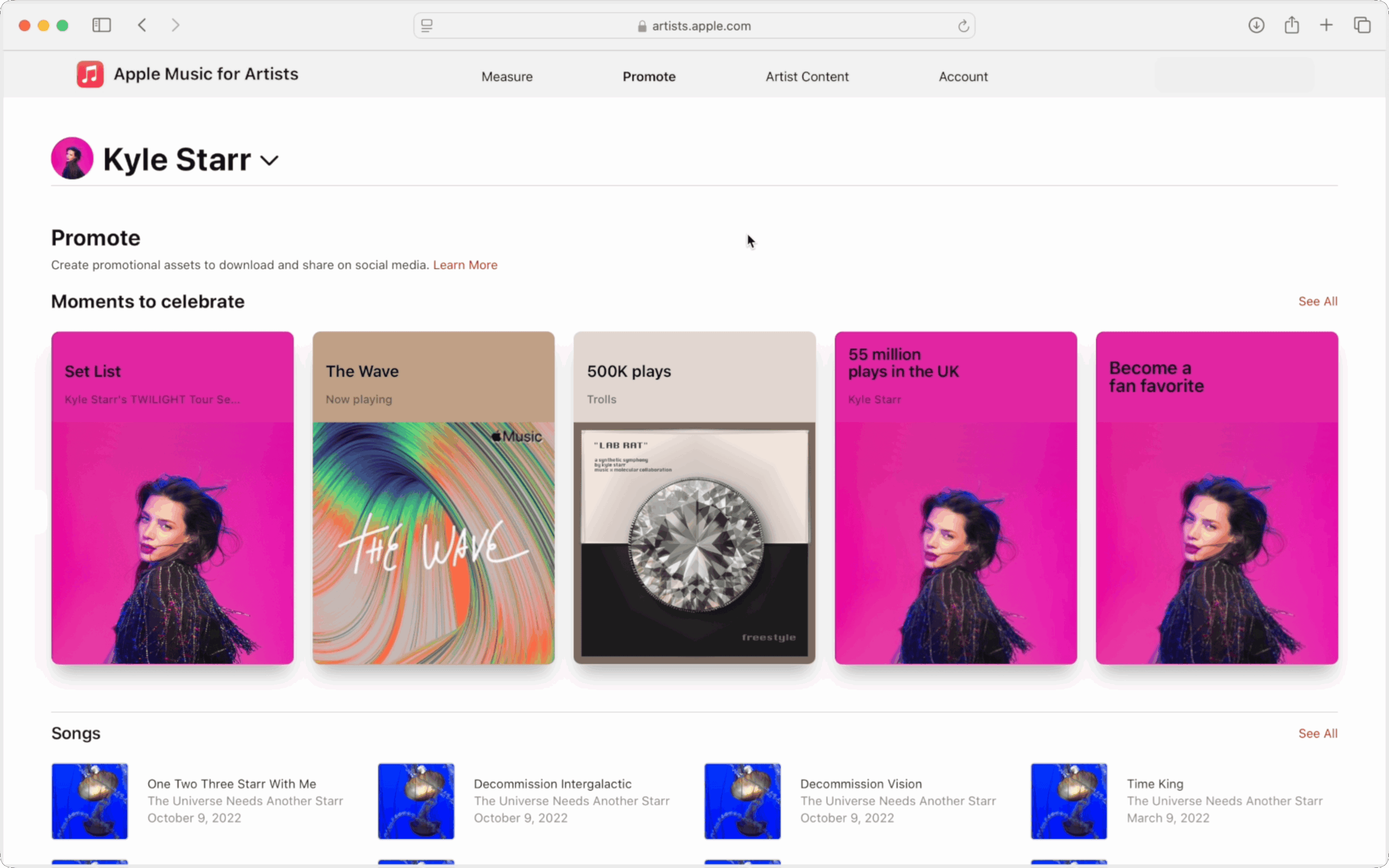
Create custom marketing assets
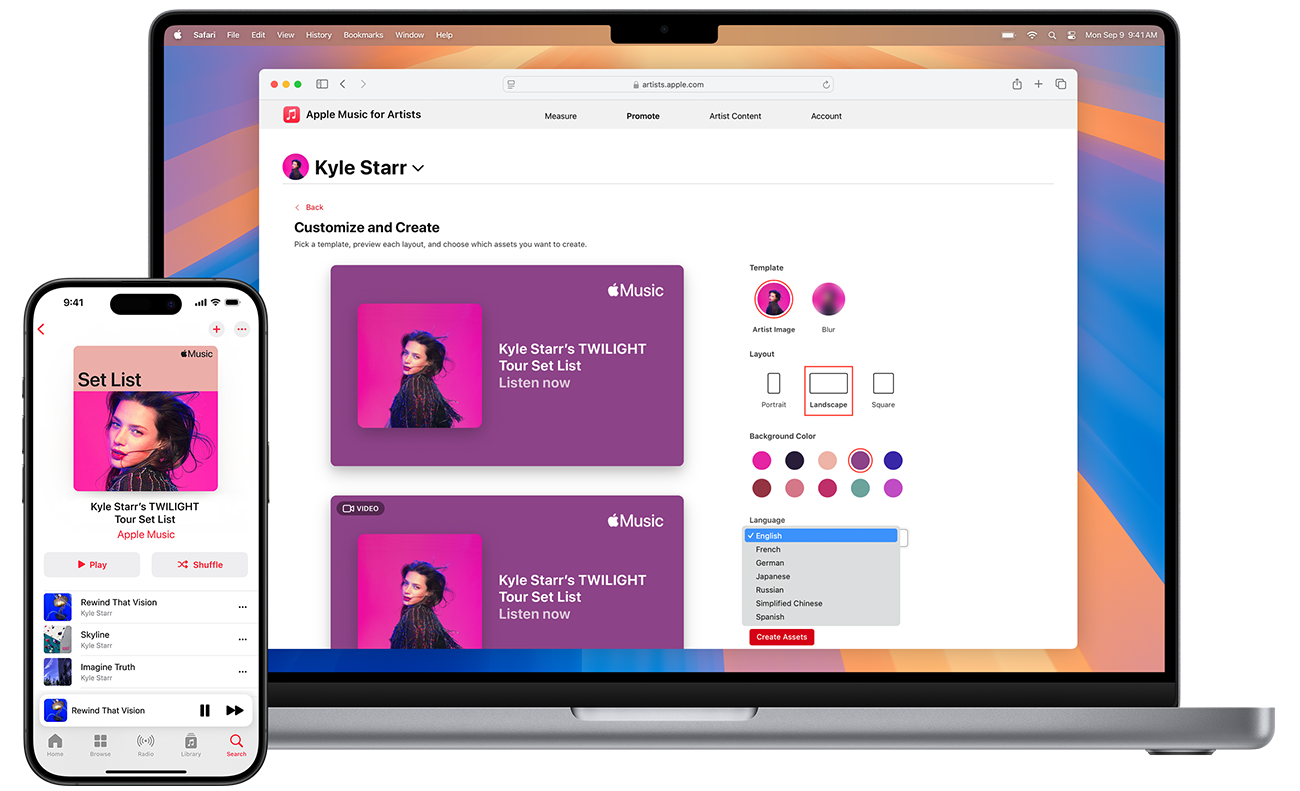
Once your release arrives, you can create professional marketing assets through the Promote section on Apple Music for Artists. Customize templates with a variety of colors, orientations, and formats to share your new release, then celebrate milestones such as being added to a playlist.
You can share finalized designs directly to your socials or send them over email for future use — right from the Apple Music for Artists iOS app or web.
Share your songs seamlessly from Apple Music Marketing Tools
Once your release is out, Apple Music allows you to dynamically promote your release across channels and connect with fans everywhere—on and off the Apple Music platform—through a variety of tools. Based on your online presence, identify which of the following sharing methods work best for you.
Links
Send listeners directly to a song, album, or playlist with links that automatically open Apple Music on any device. Links are great for social posts and email marketing, and there is the option to generate a shortened link where needed.
QR Codes
Generate a QR code you can post anywhere that links directly to your profile on Apple Music.
Badges and icons
Help fans find and download your music by embedding an Apple Music badge on your website, socials, emails, and more. Badges are automatically linked to direct users to download your music.
Embeddable previews
Offer a preview of your music anywhere on the web with embeddable previews. Listeners not logged in to Apple Music can play a 30-second clip of a song or see a preview of an entire album or playlist with the full list of songs displayed. Logged in Apple Music users can hear full tracks without ever leaving your website. Listeners can also open Apple Music directly from the player to log in or sign up for a free trial.
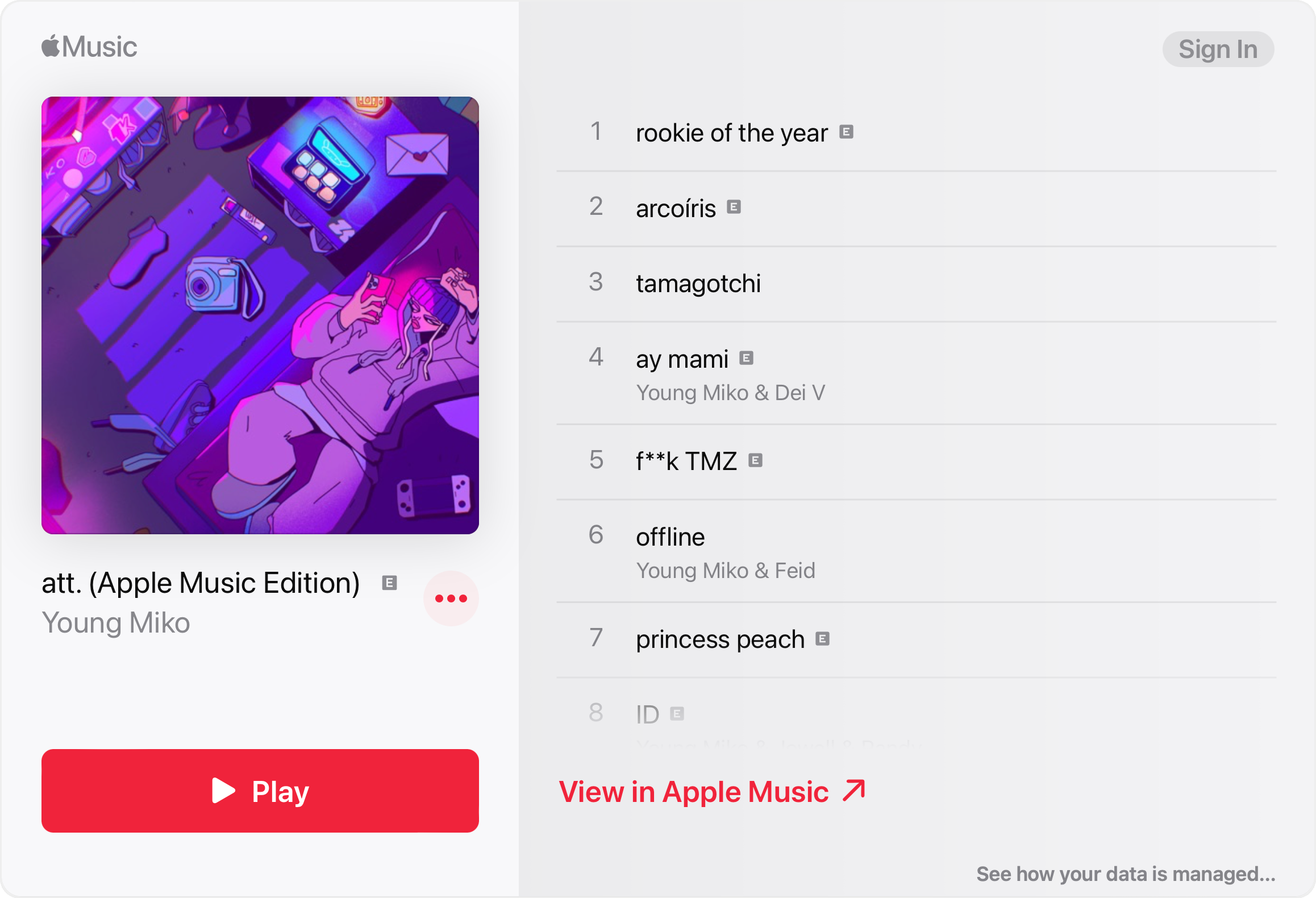
MusicKit
Take embeds one step further with MusicKit. Allow your fans to play Apple Music and their local music library directly from your website. When users provide permission to access their Apple Music account, they can use your website to create playlists, add songs to their library, and play any of the millions of songs in the Apple Music catalog. If your app detects that the user is not yet an Apple Music member, you can offer a trial membership from within your website.
From the stage to your streams: Apple Set Lists
Perhaps you’ve organized a release show or tour in support of your latest release. You can create a Set List playlist in Apple Music for Artists that lives on your Apple Music artist page, Shazam, Spotlight Search and Apple Maps. These playlists can help you promote tour dates, let fans relive or preview shows, and connect with new listeners in an authentic way.
You’ll need a few things to get started:
- An artist image: Your image will serve as the cover art of your Set List playlist. If you are uploading an artist image for the first time, allow up to three days after your image is approved to create and publish your playlist.
- A Bandsintown account: The easiest way to create your Set List is by connecting your Bandsintown account to relay data around concert dates.
Learn how to create Set List playlists on Apple Music here.
Once you’ve published your Set List, share it with your fans on social platforms using Apple’s custom assets found in Apple Music for Artists!
Apple Music for Artists has everything you need to help promote your release
From customizable marketing assets to a playlisting tool that brings a bit of the live experience to fans at home, Apple Music for Artists is flush with promotional tools you can use to seamlessly promote your music across channels.
If you’re a CD Baby Artist, claim your official Apple Music for Artists profile and start promoting your next release today!