
Cover songs are a great way to attract new listeners and keep the momentum going between original releases of your own.
But before you release your version of someone else’s work, you need to make sure you’re following the rules of music copyright — and your distributor’s policies.
Here’s what you need to know.
KEY TAKEAWAYS
- A cover song is one artist’s new recording of another artist’s composition.
- Under the U.S. Copyright Act, a compulsory license allows artists to cover and release any nondramatic songs within the U.S.
- Changing the melody or fundamental character of a track turns your cover into a derivative work, which requires explicit permission from the copyright holder of the original composition to distribute.
- When submitting a cover song for distribution, always declare it as a cover, credit the original songwriter(s) and publisher, provide licensing details, and follow the rules around eligible distribution territories.
What is a cover song?
A cover song is your version of someone else’s previously released song. In more technical terms, a cover song is a new sound recording of someone else’s musical composition.
Remember, a song has two forms of copyright: the sound recording (the distinct recording of a song) and the composition (the underlying music and lyrics of the song).
Do I need a license to release a cover song?
In the United States, copyright law allows you to legally release your new recording of most existing songs without the copyright holder’s explicit permission — using a compulsory mechanical license. You can obtain a mechanical license for digital and/or physical downloads using Easy Song. Though a license is not technically required for streaming platforms like Spotify and Apple Music, most distributors like CD Baby still require one regardless of distribution settings.
For distribution outside the U.S., artists will need to license directly from the composition copyright owner.
What if the song I’m covering is in the public domain?
If the song you’re covering is in the public domain, it’s no longer protected by copyright and can be recorded without a license for that composition. You’ll need to indicate the song is in the public domain within your submission.
But note that public domain rules vary by country. In the United States — generally speaking — songs published more than 95 years ago are in the public domain. But always verify the status of your cover using resources like pdinfo.com.
How to release a cover song
Now that you understand the basics behind covering a song, here’s what it takes to release your cover.
Step 1: Record your cover song
Choose a song to cover and capture a high quality recording of your version.
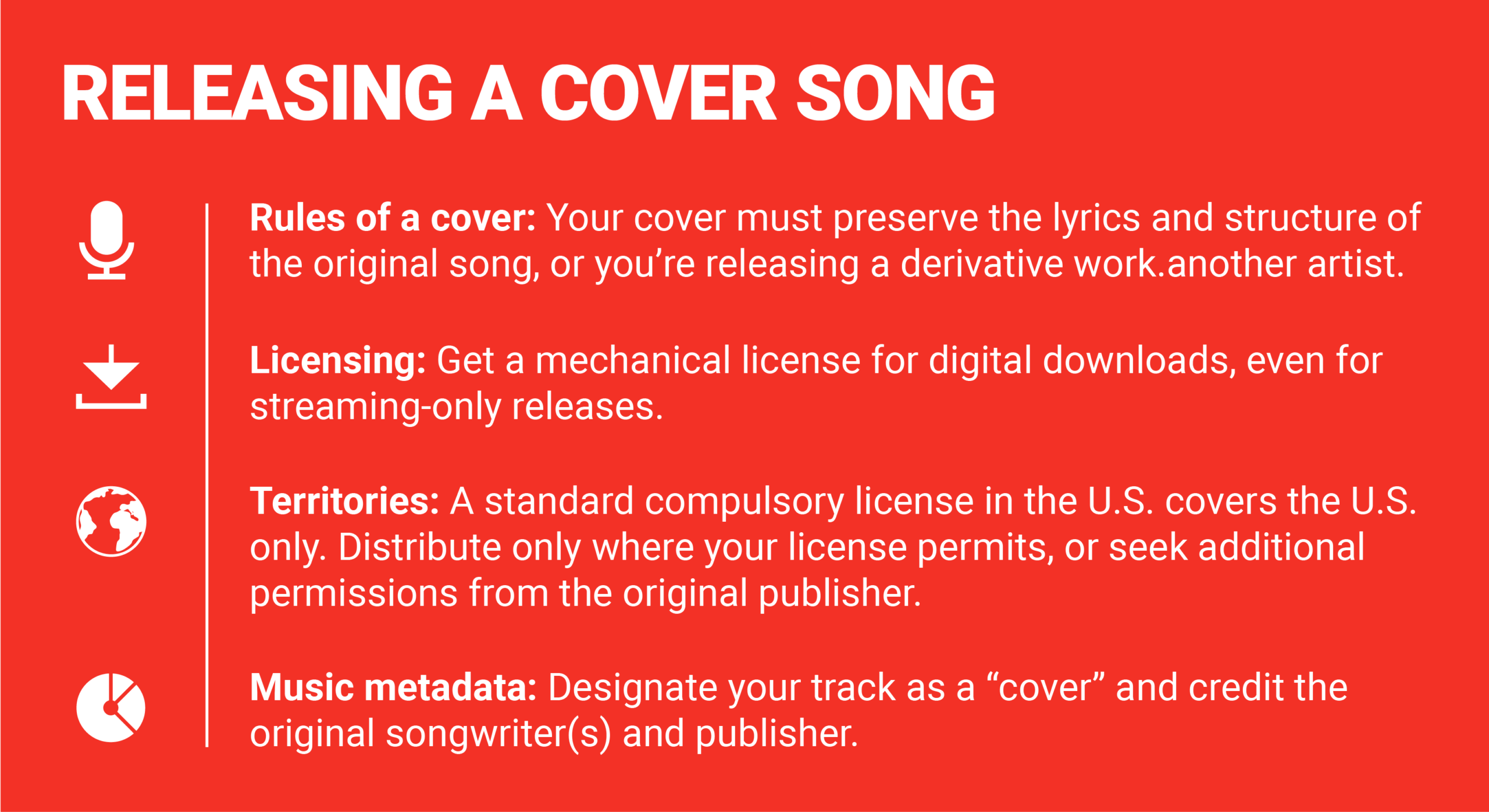
An important note here: ensure you’re in fact releasing a cover song. You can bring your own performance style to the song (e.g. changing the music arrangement from a full-band to a solo acoustic), but you cannot introduce changes to the melody or fundamental character of the track. That becomes a derivative work, which requires explicit permission from the copyright holder of the original composition to distribute.
Step 2: Secure your mechanical license
Once you’ve recorded your cover song, you’ll need to acquire the right license for distribution. If you’re releasing a cover with CD Baby, you’ll need a license for digital downloads — regardless of your distribution plan.
If you’re planning to release your cover song in physical formats like CDs or vinyl, you’ll need a physical distribution license. Digital licenses do not cover physical distribution and vice versa.
You can get licenses for both physical and digital releases from Easy Song or directly from the composition’s copyright owner.
When submitting your song for distribution, be sure to have the license on hand to enter essential details like the license ID and original publisher name.
Step 3: Provide credits and license details
Once you’ve secured a license to commercially release your cover, you’re ready to start the submission process for distribution.
Your music metadata will need to accurately reflect you’re releasing a version of someone else’s song.
If you’re releasing with CD Baby, select “Cover Song” as the composition type, provide your license ID and the name of the license provider, and under Songwriter Information, add the original songwriter(s)’ name(s) to the track as well as the name of the original publisher as it appears on your license.
Before continuing onto your distribution preferences, always double check your metadata for accuracy. Accurate credits will ensure your release arrives correctly and on time — and supports proper royalty distribution.
Step 4: Confirm your distribution territories and platforms
As mentioned earlier in this article, standard U.S. compulsory license allows you to distribute your cover song strictly in the U.S. If you’re releasing your cover through CD Baby, you’ll need to restrict your territories for distribution to the U.S.
To make your release available in other countries, you must obtain permission from the composition’s copyright owner that identifies the authorized territories and update your distribution settings accordingly before submitting.
Step 5: Double check your details then release your cover song
Before you submit your cover track, review your submission once more. Make sure your track qualifies as a cover (not a derivative work) or is within the public domain, you’ve provided the necessary licensing for your distribution plan, and that your music metadata accurately captures the breakdown of credits between the original songwriter(s), original, publisher and the performing artists on your new recording.
Release your cover song with CD Baby
Ready to release your version of a favorite song? At CD Baby, we’ll help you release your cover song with confidence through clear requirements and guidance at every step.
Create your CD Baby account today and pay just once per release — $9.99 per single and $14.99 per album — with no annual fees.